
Microsoft PowerApps

Duration : 24 Hours

Overview
This course delivers an instructor-led breakdown of Microsoft PowerApps from start to finish in an engaging and practical way.

Students will be taught how to design, test and publish new applications that work with a variety of data sources. We will take users through a selection of well-crafted lessons to help them build new applications for their business.

Course Outline


An introduction to Microsoft PowerApps
Let’s get started with an introduction to Microsoft PowerApps. Traditionally building customized solutions for a business involved using a coding language to build an application from scratch. Typically, these solutions could often only be used within the business, making external use of the application a large hurdle to overcome. With PowerApps we can now not only easily build solutions, but we can also share them with users in our business. Deployment takes seconds and you could by testing your own app on your phone in no time. This module will overview the features of PowerApps, its benefits to a business and the variety of ways you can build and access your apps on different devices.

Topics Covered

  • What is PowerApps?
  • The benefits of apps
  • How to get to PowerApps
  • Canvas Apps and Model-Driven Apps
  • License Options and Costs 

Creating PowerApps 


The two environments for building PowerApps will be introduced, PowerApps Studio for Web and PowerApps Studio for Windows. Students will then learn how to create PowerApps in different ways. They will learn how to create a PowerApp from an existing data store such as a SharePoint List, they will create a PowerApp based on existing templates and from scratch.


  • PowerApps Studio for Web 
  • Creating PowerApps from a Data Source 
  • Creating PowerApps from a Template 
  • Creating Custom PowerApps
  • Customizing Screens 
  • Working with Layouts and Fields 
  • Working with Controls and Data Card 
  • Working with the Formula Bar 
  • Form interactivity and navigation
  • Demo and Hands-on 


Branding and Media
In our next module, we will look at the options available to designers that allow them to implement their business branding. Not only will this deal with the aesthetics of your app, it will also introduce time-saving tips to help keep your branding consistent. We will also be discussing how to embed media into your app which can be useful if you are planning on an app that might promote video content.

Topics Covered

  • Linking control properties
  • Backgrounds
  • Colors and transparency
  • Duplicating screens
  • Copying the look and feel
  • Using images
  • Embed and play audio and video
  • Demo and Hands-on


PowerApps Controls
So far in the course, we would have covered the basics of adding, editing and removing controls from our applications. The drive behind this module is to provide more depth on the categories of controls which can be used on a form. Your instructor will take you through each control and discuss its purpose and configuration. Tackling the wide selection of controls will help students recognize when to use the right control.

Topics Covered

  • Labels
  • Buttons
  • Text inputs
  • Controls
  • Galleries
  • Data tables
  • Forms
  • Media
  • Charts
  • Icons
  • Demo and Hands-on


Data Sources and Logic
To help maintain and view essential business information, organizations often have a diverse selection of locations to keep different types of data. This could range from databases to file storage locations. PowerApps offers connections to a wide selection of data sources. We will show students to build their PowerApps to bring in data from a variety of sources as well as how they can utilize the common data source, a storage location unique to PowerApps.

Topics Covered

  • Working with files
  • Databases
  • Filter, sort and search formulas
  • If and Select
  • Accessing on-premises sources
  • The common data source
  • Sharing data sources
  • Demo and Hands-on


Formulas(Power Fx), Variables & Collections 


In this module you will learn how to create local/global variable, make use of advanced functions & make efficient use of collections.


  • Understand & implement variables
  • Using important functions (Power Fx)
  • Understand & implement collections
  • Demo and Hands-on 


Customizing List Forms using PowerApps 


In this module you will learn how to customize SharePoint list form by using PowerApps.


    • Customizing List Form
    • Adding Validation
  • Build separate forms to create, show & edit the list item
  • Demo and Hands-on


Working with Data 


This module will teach students how to work with various data sources in PowerApps. Students will explore the myriad of cloud data sources available including how to work with data stored on the corporate network.


  • Navigation in a canvas app in PowerApps
  • Master advanced techniques for PowerApps canvas apps
  • Data Sources and Connectors 
  • Cloud Based Sources 
  • On Premises Sources 
  • Custom Sources 
  • Delegated Data Sources 
  • On Premises Gateway
  • SQL Server Data Sources 
  • Demo and Hands-on 


Model-driven apps & Dataverse in PowerApps 


This module will teach students how to work with various data sources in PowerApps. Students will explore the myriad of cloud data sources available including how to work with data stored on the corporate network.


  • Introducing Dataverse
  • Work with entities
  • Work with Table relationships
  • Create a Dataverse Table
  • Create an Table and import data into your Dataverse database
  • Introducing model-driven apps
  • Building blocks of model-driven apps
  • Model-driven apps security
  • Model-driven app with Dynamics 365 for Finance and Operation
  • Demo and Hands-on


Microsoft Power apps with Copilot

  • Create a PowerApps using copilot
  • Demo
  • Hands-on


Enabling Productivity and Collaboration 


This module will teach students how to share PowerApps and to manage previous PowerApps versions. They will learn how to run a PowerApps using PowerApps Mobile, the web browser and directly from a SharePoint List. Lastly, the students will learn how to partition PowerApps and Flows using environments and how to administer Data Loss Prevention (DLP) Policies using the Admin Centers.


  • Managing PowerApps 
  • Sharing PowerApps 
  • PowerApps Versioning
  • Microsoft AppSource 
  • Running PowerApps 
  • PowerApps Mobile 
  • Web Browser 
  • PowerApps Admin Centre 
  • Environments
  • PowerShell commands
  • Demo and Hands-on
Fee: Rs 7,499 + 18% GST
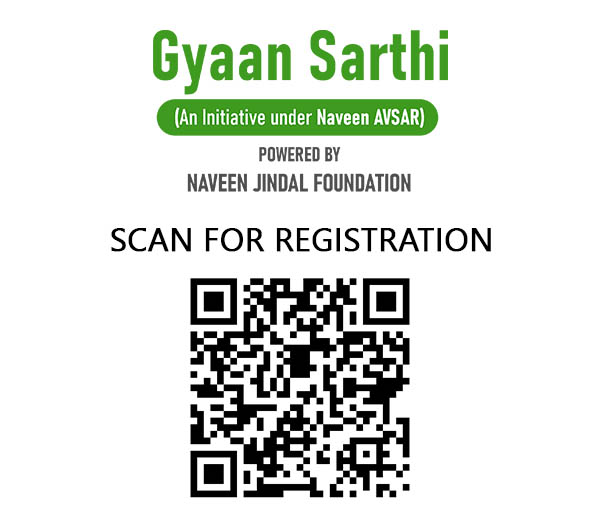
100% subsidized cost for Naveen Jindal Foundation registered students

or Click here to Register

Enquiry Form
close slider


    Please prove you are human by selecting the cup.